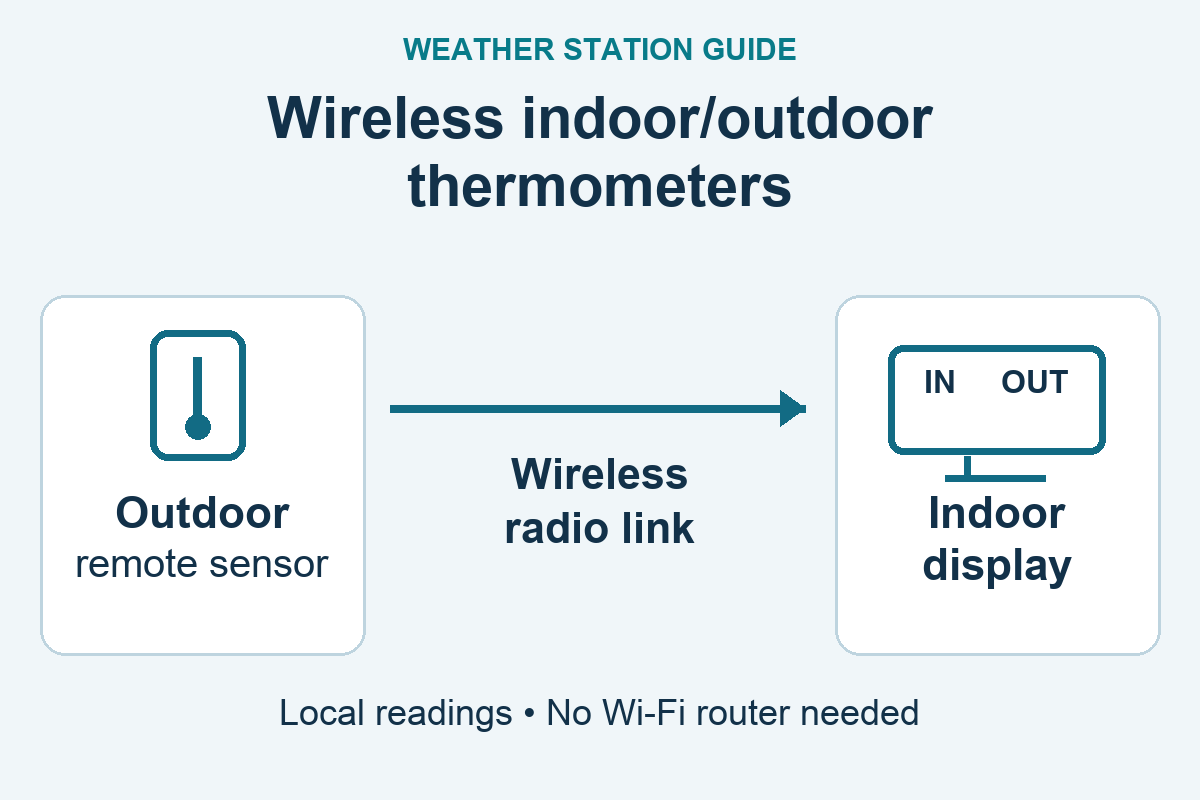
A wireless indoor/outdoor thermometer lets you read an outdoor sensor from a display inside your home. Start with what you need to see: temperature alone, temperature plus humidity, or temperature alongside a clock. Extra features are useful only if they solve your particular monitoring problem.
The products below use a radio link between sensor and display. They do not require a Wi-Fi router for those readings, and they are not app-based remote-monitoring systems. This is a comparison based on manufacturer documentation and identified packages, not hands-on testing.
As an Amazon Associate I earn from qualifying purchases. If you buy through links on this page, I may earn a commission at no extra cost to you.
Three choices for different needs
| Your priority | Product/package | Important limitation |
|---|---|---|
| Just indoor and outdoor temperature | AcuRite 00782A4, one outdoor sensor | Fahrenheit-only; no humidity or expandable channel system |
| Temperature and humidity in multiple locations | TempPro TempAir PLUS TP60B, one-sensor package | No backlight; extra compatible sensors cost more |
| Temperature with a clock/calendar | La Crosse WS-9160UV3, supplied temperature sensor | Manual-set time; supplied outdoor sensor does not measure humidity |
These are different feature choices, not an accuracy ranking. None is a substitute for a complete station if you need wind and rainfall measurements; see the home weather-station guide for that broader decision.
AcuRite 00782A4: a simple temperature display
This is the straightforward option when you only want to compare indoor and outdoor temperature. The current Amazon package is identified as 00782A4; AcuRite provides instructions under the 00782 family. It includes one outdoor temperature sensor and does not provide humidity, clock or min/max-record features.
The family manual specifies a 100-foot wireless range, affected by home construction and interference, and readings sent every 60 seconds. Both display and sensor use two AAA batteries. Keep the weather-resistant sensor sheltered from direct weather and sunlight; “outdoor” does not mean unrestricted exposure.
The important ownership limitation is replacement support: AcuRite’s 00782 support page currently lists no replacement parts. Do not buy an unrelated AcuRite sensor assuming it will pair. Choose a different system if adding locations or readily replacing a transmitter matters more than simplicity.
AcuRite 00782 manual · Model support and parts status
Check the AcuRite 00782A4 package on Amazon (paid link)
TempPro TP60B: humidity and additional locations
The TempAir PLUS TP60B adds indoor/outdoor humidity, selectable Fahrenheit/Celsius, and high/low records. Its one-sensor package suits a room-and-yard comparison; the display supports up to three remote sensors when matching additional transmitters are purchased. More sensors measure more places, rather than making one reading inherently more accurate.
TempPro specifies up to 500 feet of radio range for the current version, not a guarantee through walls. Display and transmitter each use two AAA batteries. The unlit LCD is a significant limitation if you expect to check it in a dark bedroom.
Older ThermoPro TP60S equipment and documentation remain in circulation. The Amazon offer checked for this guide identifies TP60B as its model while retaining TP60S in a legacy part-number field. The manufacturer also notes the ThermoPro-to-TempPro branding transition. Match the supplied model and manual before buying extra sensors; do not apply current range claims retroactively to an older unit.
TempPro TP60B specifications and current manual
Check the TP60B one-sensor package on Amazon (paid link)
La Crosse WS-9160UV3: temperature with time and records
The WS-9160UV3 is worth considering when a clock/calendar and temperature records are more useful than a color forecast screen. Time is set manually; it is not an atomic-clock recommendation. Its rolling 24-hour temperature records include time/date stamps.
The manufacturer’s current package includes a TX141-BV4 temperature-only outdoor sensor. Indoor humidity is available, but that does not mean the supplied sensor reports outdoor humidity. La Crosse lists compatible optional temperature/humidity sensors for additional channels; check the exact support list before expanding.
The stated transmission range is up to 330 feet in favorable conditions. The display and supplied sensor each require two AA batteries. This is an unlit display, so plan to read it with room lighting.
Use the exact current manufacturer package below. The older Amazon listing mixes V2 and V3 identifiers, and an alternate black listing uses a different model number; neither is presented here as a verified WS-9160UV3 purchase.
La Crosse WS-9160UV3 product, compatible sensors and setup guide
What to check before choosing
Readability comes before feature count. Look at the size of the temperature digits and where you will place the display. A large overall screen can still devote little space to the reading you care about. All three choices here favor simple displays; none is selected for continuous nighttime illumination. If a backlight is essential, check whether it stays on, times out, or needs an adapter before purchasing a different model.
Humidity must be measured where you need it. Indoor humidity alone does not reveal outdoor humidity. Check both the display’s capabilities and the included transmitter. A three-channel receiver often comes with only one sensor.
Records are not a data logger. Min/max memory can show a recent overnight low without providing a downloadable history. These local-display choices are not recommendations for checking your home from another town or receiving dependable remote alerts.
Current readings are not a forecast. Temperature changes describe what happened around the sensor. They do not predict tomorrow’s rainfall or establish safe outdoor conditions. Forecast icons on other products require their own explanation and should not drive this basic thermometer decision.
Place the sensor before judging the thermometer
Pair the included units according to their own manual, then test reception at the intended locations before permanently mounting anything. A successful test a few feet apart does not establish reception through your home’s walls.
Choose a shaded, ventilated location away from exhausts, sun-warmed masonry and window heat. Keep the indoor display away from heaters and direct sun too. Follow the sensor’s protection and mounting instructions: weather resistance is not permission to submerge it or expose every opening to rain. A sealed box may protect against rain while trapping heat and preventing representative readings.
Manufacturer range figures are upper limits under specified conditions. Metal, walls and other obstructions can shorten the usable distance. For a fuller explanation of representative placement and practical compromises, use the Sensor Siting Checklist.
Already own an older thermometer?
Keep using a working device if it supplies the readings you need. Identify the model on both display and sensor before replacing parts. Similar housings, a shared brand, or the word “wireless” do not establish compatibility.
For older La Crosse WS-9160U-IT equipment, use the manufacturer’s revision-specific manual selector. Original, V2 and V3 instructions should not be mixed. Likewise, retain the instructions supplied with an older ThermoPro TP60S rather than assuming today’s TP60B specifications describe it.
Choose the simple AcuRite for temperature alone, the TP60B when humidity and additional locations matter, or the La Crosse V3 when its clock and records fit your routine. Check the exact package and its limitations before ordering, not just the brand on the front.