
As an Amazon Associate I earn from qualifying purchases. If you buy through links on this page, I may earn a commission at no extra cost to you.
The right AcuRite replacement part depends on the model of your outdoor sensor and indoor display—not just the AcuRite name. A similar-looking sensor, matching radio frequency or Wi-Fi label does not establish compatibility.
This guide covers the parts previously featured here, with current compatibility checks and routes for older equipment. Start with the model label before ordering an entire sensor array or replacing a display.
Identify your equipment first
- Record the model numbers on both the sensor and display. A complete weather-station package can have a different number from its individual components. Follow AcuRite’s model-number identification guide if the label is difficult to locate.
- For a small temperature/humidity sensor, record whether it has an A/B/C channel switch and its exact number. Appearance alone is insufficient.
- Check the model-specific troubleshooting instructions before buying. Missing readings can result from power or pairing problems; see our AcuRite reset and troubleshooting guide.
- Match the replacement against manufacturer documentation. If the combination is not listed, ask AcuRite support rather than assuming it will work.
Quick compatibility reference
| Your equipment | Replacement route and limit |
|---|---|
| Basic sensor with A/B/C switch: 00592TXR/06002M family | Check the 06002M replacement and the display’s compatibility list. It is not universal. |
| Basic sensor without A/B/C switch | Temperature-only 06009RM and temperature/humidity 609TX families have separate replacements; do not substitute 06002M. |
| Iris / AcuRite 5-in-1 | Iris-specific arrays and repair parts. Check the component number, especially for internal boards. |
| Notos / AcuRite 3-in-1 | 06008M array; not an Iris or Atlas replacement. |
| Atlas | Atlas-specific parts; 06059M is the listed array. Iris parts are not an assumed substitute. |
| Optimus | Use the Optimus compatibility section; do not select parts from appearance or radio frequency. |
Use AcuRite’s current compatibility charts for the exact display and accessory combinations. The sections below explain the existing parts in more detail.
Basic temperature and humidity sensors
06002M: check the original sensor number

The 06002M is the replacement route for the A/B/C-switch family that includes 00592TX, 00592TXR, 06002M, 06002RM and 11126-592TXR. Confirm the receiving display is compatible too. It uses two AA batteries and does not replace the temperature/humidity board inside an Iris or Atlas array.
For sensors without an A/B/C switch, AcuRite lists separate temperature-only and temperature/humidity variants. Select the correct variant on the manufacturer’s sensor and compatibility page; do not order by the page’s general title alone.
If troubleshooting has established that your matching sensor needs replacement: view the 06002M on Amazon (paid link).
00613 indoor monitor: not a replacement console
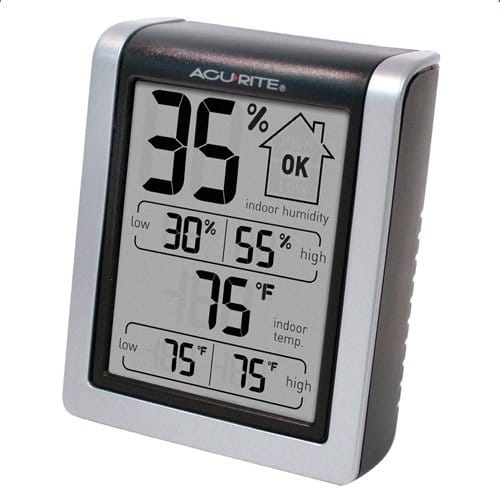
The 00613 previously featured here is a standalone indoor thermometer/hygrometer. It is not a replacement wireless receiver for your outdoor station. The current 00613 manufacturer page specifies one AA battery. Keep this distinction in mind when shopping for a replacement display with a similar appearance.
Iris / 5-in-1 repair parts and upgrades
06031RM wind cups
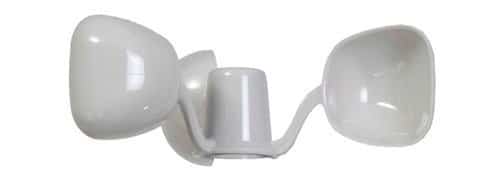
These replace damaged cups on AcuRite Iris/5-in-1 sensors. They are not the complete wind-speed mechanism, and replacing intact cups will not necessarily resolve an internal failure. AcuRite’s chart links its 06031M entry to the 06031RM wind-cup product page.
For a confirmed cup replacement: view the 06031RM wind cups on Amazon (paid link). Do not assume they fit Notos, Atlas or another brand’s station.
06052M remote battery pack
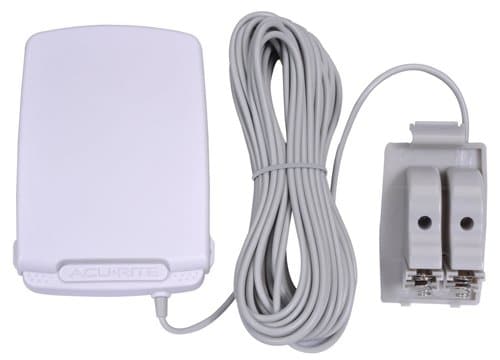
This optional accessory moves battery access away from a difficult-to-reach Iris sensor. It is not a charger and does not repair a failed sensor. AcuRite specifies a 30-foot cord and a dual-compartment arrangement that permits battery replacement without interrupting sensor power when used as instructed. See the 06052M product page and manual.
If easier battery access solves your installation problem: view the Iris 06052M battery pack on Amazon (paid link). This is not the Atlas battery pack.
06003M PRO+ solar/fan assembly
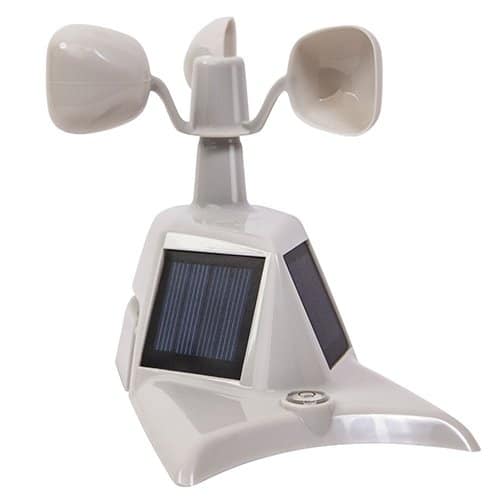
This is an upper assembly for an Iris/5-in-1 sensor, not a complete weather station or outdoor array. Its dual solar panels support the ventilation fan; they do not recharge the station’s AA batteries. A sensor that already has the PRO+ dual-panel assembly does not gain another upgrade merely by buying the same assembly again.
Check the manufacturer’s PRO+ upgrade description and installation manual. For a confirmed repair or single-panel upgrade: view the 06003M assembly on Amazon (paid link).
06014M array and the newer 2026 replacement
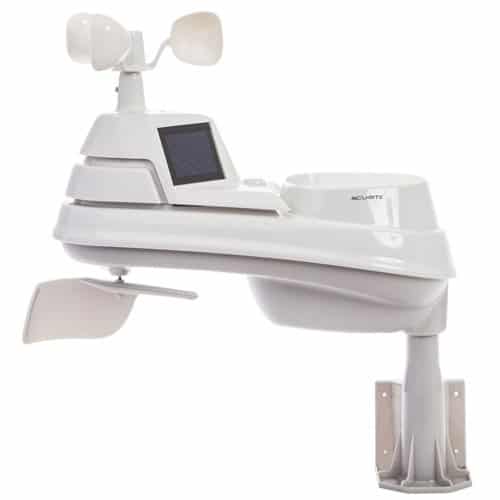
If the complete array needs replacement, distinguish the older 06014M listing from AcuRite’s current 06014MA2BK replacement. The manufacturer’s current Iris PRO+ page identifies a 2026 design update and compatibility with AcuRite 5-in-1 displays. That does not establish compatibility with Atlas or Notos displays.
The 06014M Amazon option (paid link) is the older model listing. It has not been verified as the redesigned 2026 SKU; do not assume the newer model’s specifications or construction apply. AcuRite also lists 06014M for the legacy 02064 station.
Before replacing a whole array for temperature/humidity problems, check whether a board repair is appropriate. AcuRite requires a model and visual compatibility check for its replacement Iris temperature/humidity board. A familiar model number alone is not enough.
Notos / 3-in-1 replacement array
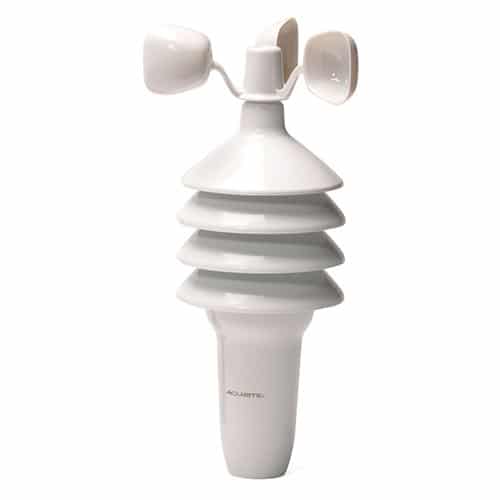
The older article called this 3N1TXC. AcuRite’s current Notos product page, using the 3N1TXC/06008RM address, identifies the replacement as 06008M for AcuRite 3-in-1 systems.
It measures temperature, humidity and wind speed—not rainfall or wind direction. Manufacturer specifications state four AA batteries and a wireless range of up to 330 feet, dependent on building materials. This is sensor radio communication, not built-in Wi-Fi.
For a matching 3-in-1 system: view the Notos 06008M array on Amazon (paid link). The “Pro” name alone is insufficient: the 01512 Pro station discussed elsewhere on this site is a different, 5-in-1 system.
06054M radiation shield: a housing, not a sensor

The shield provides shade and airflow around a compatible small sensor. It does not measure temperature itself or add Wi-Fi, Bluetooth or solar charging.
AcuRite lists 592TXR/06002RM, 606TX/06009RM, 609TXC and 06045M in its radiation-shield compatibility information. Do not assume every sensor fits inside.
If a shield is appropriate for your matching sensor and placement: view the 06054M shield on Amazon (paid link).
Displays, other families and connectivity
For Atlas or Optimus, start with the manufacturer’s family-specific chart rather than adapting the Iris items above. For replacement displays, verify both sensor reception and the online features you need. AcuRite currently directs Notos owners needing a display to support rather than offering individual replacement displays.
For rain-gauge components, mounting brackets or power adapters, obtain the exact part for the sensor/display model. No universal replacement is verified here. For example, a mounting bracket’s fit does not prove electronic compatibility, and a plug that fits does not establish a correct power supply.
Legacy Access hardware and cloud service are separate questions. AcuRite documents adding a legacy Access to AcuRite NOW, with the device connected to a router. Its current Weather Underground instructions require NOW+ for that streaming route, including legacy Access. Do not buy old connectivity hardware on the assumption that historical service promises still apply.
For general background, see our explanation of Wi-Fi weather-station features; use the current manufacturer documentation above for exact compatibility. If your combination remains unclear, send AcuRite support the model numbers and label photographs before ordering.