A weather station is useful for home automation when its measurements can reach the system that runs your rules. Asking Alexa for the temperature is voice reporting; using a temperature reading to control a compatible fan is automation. Wi-Fi alone does not establish either capability.
Choose the connection before choosing the station. The three options below serve different needs: Ecowitt for local Home Assistant input, Tempest for a choice of local and cloud data plus a supported Rachio connection, and Ambient WS-2000 for a dedicated display with cloud-based Home Assistant integration. These recommendations are based on manufacturer and integration documentation, not hands-on testing.
As an Amazon Associate I earn from qualifying purchases. If you buy through links on this page, I may earn a commission at no extra cost to you.
Choose the automation path first
| Your priority | Hardware to consider | Data path and main commitment |
|---|---|---|
| Local Home Assistant measurements and sensor expansion | Ecowitt GW2001: GW2000 gateway + WS90 | Local push; you supply the Home Assistant host. No standalone display in this kit. |
| Local observations, cloud forecasts or supported Rachio use | Tempest Weather System | Included hub supports local UDP; cloud services require an account/internet. Rachio activation can cost extra. |
| A dedicated weather display plus cloud automation | Ambient WS-2000 | Home Assistant’s Ambient integration uses AWN cloud, an API key and an application key. |
Local means the relevant measurements reach your automation platform over your home network. Sensor radio reception at a console is only the first part of that journey. Cloud means a remote service sits in the path. Native means a supported connection between the services involved; community software is maintained outside the manufacturer. An indirect bridge can be useful, but adds another dependency.
Home Assistant includes the integrations discussed below in its integration catalog. That does not make each one a manufacturer-supported product. You still need a running Home Assistant system and compatible devices for the actions you want to perform.
Ecowitt GW2001: local Home Assistant and expandable measurements
The GW2001 package combines a GW2000 gateway with a WS90 outdoor sensor. The gateway offers Ethernet or Wi-Fi networking. For a US installation, select the 915 MHz version; frequency matters when adding sensors. This package does not include a conventional weather console. Ecowitt package information
Home Assistant’s Ecowitt integration accepts local push data through the gateway’s custom-server setting. Its documentation supports configuring through the device’s web interface without an Ecowitt account; the app-based setup has different account requirements. The local callback uses HTTP, not HTTPS, and should remain on your trusted network. You do not need an MQTT broker for this integration. Home Assistant setup and supported hardware
For receiver identification, the two local data paths and staged diagnosis, see our Ecowitt local setup and troubleshooting guide.
Temperature, humidity, wind and rainfall can supply rules and dashboards. Additional measurements depend on the compatible sensors you actually install—soil-moisture data does not appear simply because the gateway supports it. Check the exact sensor and radio frequency before expanding.
The WS90 measures rain haptically. Ecowitt identifies limitations and suggests a separate WH40 tipping-bucket gauge when more accurate rainfall measurement is needed. Consider that distinction before basing irrigation decisions on small rainfall amounts. An additional gauge is not included in this recommendation.
Buying fit: choose this kit when local data and expansion matter more than a bundled screen. Budget for your Home Assistant host and mounting; the documented local connection does not require a paid vendor-cloud plan.
Check the Ecowitt GW2001 915 MHz kit on Amazon (paid link).
Tempest: local data, cloud data and a Rachio pathway
The current shopping option here is the 2026 Tempest system, identified as TH-TWS-03-NA, with its Wi-Fi hub. Standard Tempest service does not require a subscription. Personal API use for your own station is subject to the manufacturer’s developer policy; it is not an unrestricted commercial data license. Current Tempest package · API-use policy
Home Assistant offers two different connections:
- WeatherFlow: local push through the hub’s UDP broadcasts, with Home Assistant and the hub on the same subnet. It provides observations and events such as rain starting.
- WeatherFlow Cloud: cloud polling with an account token, including forecast and sensor information.
The local readings can differ from the app’s processed cloud values. Tempest recommends its quality-controlled remote data as the primary developer source, with UDP as a useful local/backup option. Local access is valuable, but is not a promise of identical cloud calculations. Local integration · Cloud integration · Manufacturer API guidance
For irrigation, Rachio documents a supported Tempest account connection. If you buy elsewhere, Rachio currently lists a $29.99 in-app activation charge; an eligible purchase through Rachio includes an activation code. This uses cloud services and a compatible Rachio setup, not a direct sensor-to-controller radio link. Compare the Rachio purchase option and integration requirements before choosing where to buy. Our Rachio compatibility guide explains the broader alternatives.
Check the Tempest 2026 system on Amazon (paid link).
Ambient WS-2000: a display with cloud automation
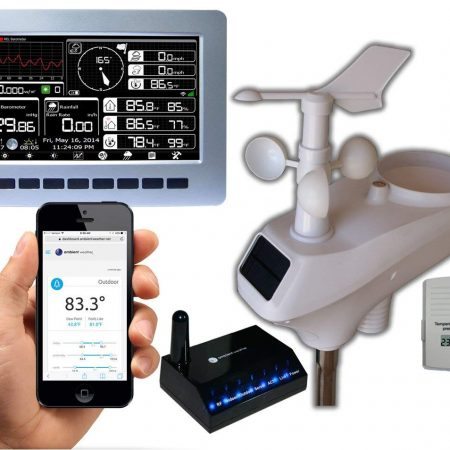
The WS-2000 suits someone who wants a dedicated display as well as connected weather data. Local console history and optional memory-card export are separate from the route used for Home Assistant. Ambient WS-2000 product and documentation
Home Assistant’s Ambient Weather Station integration is cloud push, requiring an AmbientWeather.net API key and application key. Available entities depend on the station and installed sensors. The standard connection is not made local by keeping the console in your house. Home Assistant integration
Before buying: this route needs internet access and AWN availability. AWN+ is not required for this Home Assistant connection; optional paid features such as SMS alerts and extended cloud history are separate. IFTTT has its own plan limits. Do not confuse a console’s measurement interval with guaranteed automation delivery time.
A community alternative, ecowitt2mqtt, can accept compatible custom-server uploads and relay them to an MQTT broker. It requires appropriate firmware, extra software and a broker. It is not the standard Ambient integration or a manufacturer-supported promise that every Ambient model works locally.
Check the Ambient Weather WS-2000 on Amazon (paid link).
Alexa, Google Home, Apple Home and SmartThings are different questions
Alexa: manufacturer-documented weather skills can report station readings. That does not establish that each measurement is available as an Alexa routine trigger. Tempest’s documented skill, for example, reports conditions; its integration page also describes Siri Shortcuts, which are not native Apple Home support.
Google Home: do not buy an Ambient station on this promise alone. Ambient’s support material contains both promotional integration instructions and a suspension/recertification notice. Current functionality is not sufficiently clear to recommend it as a verified buying advantage. An Android app or shortcut does not resolve that question. Ambient support material
Apple Home: Netatmo documents HomeKit compatibility for V3 and later hardware, not V1/V2. Check the actual unit, not merely its brand. Home Assistant’s HomeKit Bridge is another, indirect route for supported entities; it does not make the station itself HomeKit-certified. Netatmo hardware check · HomeKit Bridge
SmartThings: Samsung retired the Groovy platform. The old Ambient SmartApp instructions are not a working setup method. See our Ambient and SmartThings guide for the distinction between former integrations and current alternatives.
IFTTT can be an indirect cloud route when the required service trigger and action exist. Check both ends and current plan limits; don’t assume every rule is free or immediate.
Already own one of the stations previously covered here?
Netatmo indoor/outdoor modules
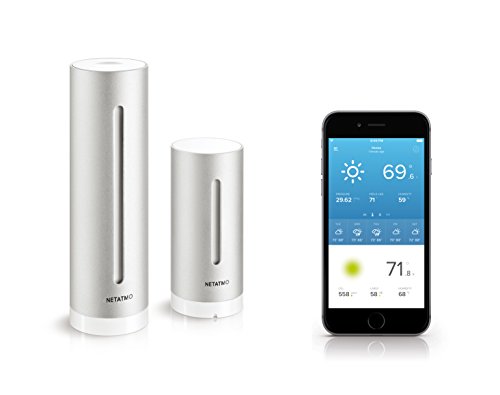
An existing Netatmo can remain useful for indoor and outdoor observations, including its indoor CO₂ measurement. Home Assistant’s Netatmo integration is cloud polling, not an instant local weather feed. Check generation-specific features in our Netatmo resource. CO₂ is one measurement, not a complete assessment of indoor pollutants.
AcuRite 01012M-era system
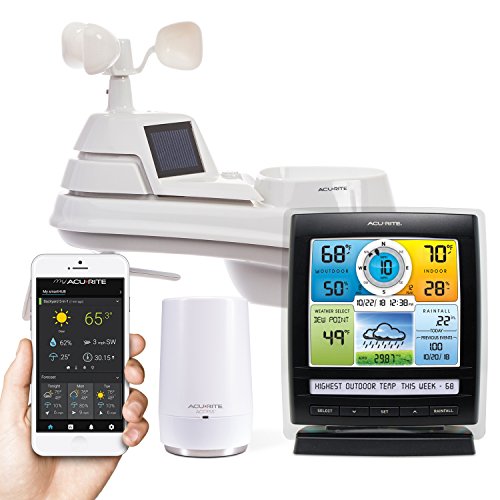
Do not replace working hardware solely because this shortlist has changed. First identify the receiver and service using our AcuRite connectivity guide. Historical My AcuRite voice reporting is not proof of a current Home Assistant integration. Current AcuRite NOW features and paid options also depend on the supported hardware and service.
Ambient WS-1201-IP and ObserverIP
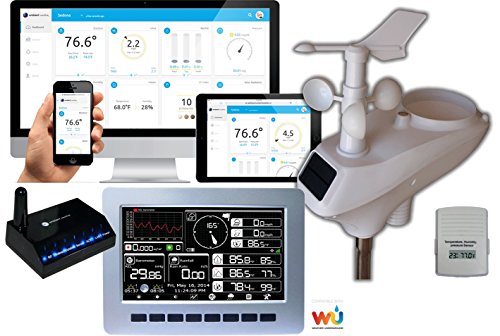
ObserverIP receives compatible sensor transmissions and connects to the router; it does not relay readings through the display in the sequence previously described here. Check Ambient’s ObserverIP guidance for your model. Uploading to Weather Underground is another path, not automatic compatibility with every automation platform; our Weather Underground connection guide separates those arrangements.
Build a useful rule, not a false guarantee
With the right entities and connected equipment, you could create a low-temperature notification, compare indoor/outdoor conditions before running ventilation, or use measured rain in an irrigation rule. These are design examples, not functions every station performs by itself. Motorized equipment needs its own compatible controller and safe operating limits.
Local measurements can continue feeding a wholly local rule during an internet outage if the sensor, gateway, network, Home Assistant host and controlled device remain powered and communicating. Remote phone notifications may still require internet. Cloud rules also depend on the relevant services. No outage testing is claimed here.
Use stale-data checks and a manual override. A station notification is supplemental awareness, not a guaranteed emergency warning or proof that outdoor conditions are safe. Follow official warnings and NWS lightning guidance.
Before buying, check your sensor siting and installation plan. Keep local endpoints private and API tokens confidential. Dashboard history is a separate storage decision from getting a live measurement into a rule.
If your goal is only a readable temperature display, an indoor/outdoor thermometer may be enough. For broader equipment choices, see our main buying guide. Choose automation hardware for the connection you will actually use.